
Everything You Need to Run Your Orchestra
18 powerful features that replace scattered WhatsApp groups, shared folders, and spreadsheets with one organized platform. Whether you manage a 15-member brass band or a 100-piece symphony.
Events & Scheduling
Create and manage every type of event:
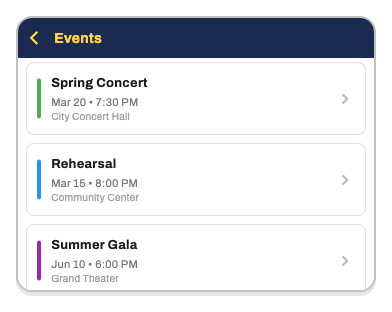
- Concerts — public or private performances
- Rehearsals — full, sectional, or dress
- Marching events — parades and outdoor performances
- Other — assemblies, workshops, social events
Set date, time, venue, dress code, and attach repertoire. Draft/publish control lets you prepare events before musicians see them. Map integration for instant venue directions.
Attendance Tracking
No more chasing confirmations:
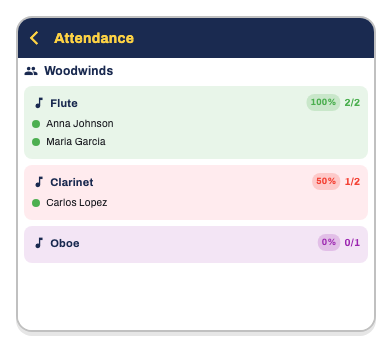
- Musicians report Yes, No, or Maybe with optional notes
- View attendance by section and position — see gaps instantly
- Automatic escalating reminders — first notice → second reminder → final warning
- Configure reminder timing per event type
- Dashboard analytics: participation trends, response rates, lowest-coverage positions
- Export to Excel for board reports
Repertoire Organization
Your complete music library:
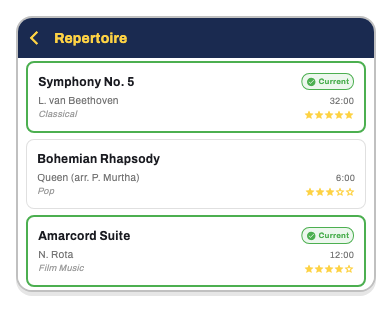
- Categorize by genre and composer
- Rate difficulty levels (star system)
- Track active vs. archived pieces
- See performance history per piece — which events used it
- Search and filter by title, composer, arranger, or notes
Sheet Music Sharing ADD-ON
The right music to the right people:
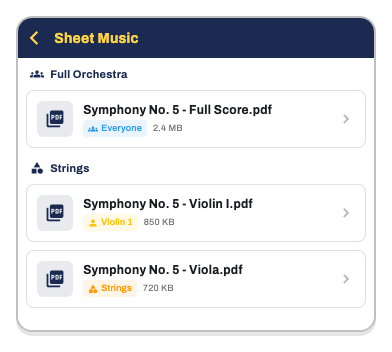
- Upload PDF scores per piece
- Scan paper sheets with phone camera — auto edge detection, perspective correction
- Visibility controls: orchestra-wide, section-only, or position-specific
- Musicians see only their parts automatically
- Annotate on scores — highlight, underline, draw
- Download and share from the app
Musician Management
Keep your members organized:
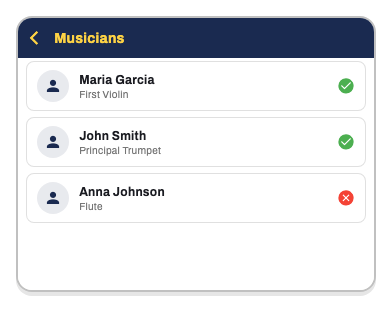
- Sections and positions with drag-and-drop ordering
- Attendance patterns tracked over time
- Multiple positions per musician — the flutist who also plays piccolo
- Active/inactive status for sabbaticals and seasonal members
- Email invitations with activation codes
- Export to Excel for reporting
Orchestra Structure
Define your exact setup:
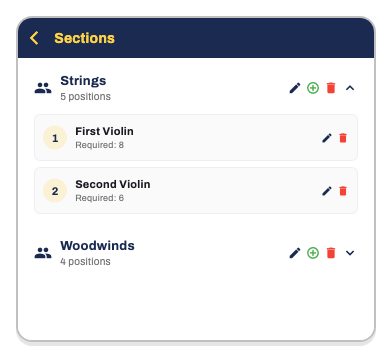
- Custom sections: Strings, Woodwinds, Brass, Percussion, Vocals, etc.
- Positions within sections: First Violin, Principal Oboe, Second Horn, etc.
- Required counts per position — know if you’re understaffed
- Pre-built templates: Symphonic, Wind, Brass Band, Jazz, Chamber, Marching Band
- Preview before applying
Venue Management
All your spaces in one place:
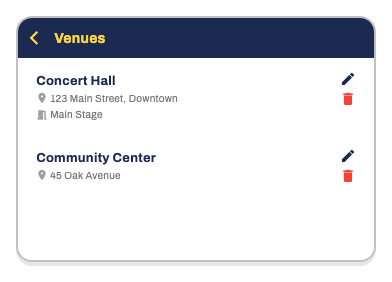
- Addresses with Google Places autocomplete
- One-tap directions via maps
- Notes for parking, access, equipment
- Link venues to events
- Store contact info for venue managers
News & Announcements
Keep everyone informed:
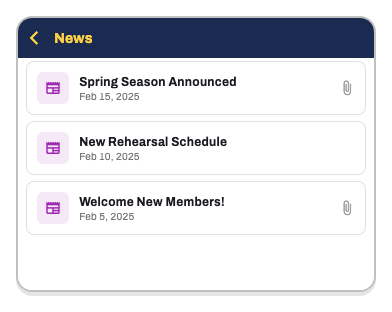
- Share with the whole orchestra or specific sections
- Attach PDFs and images
- Add links for external resources
- Category tags: General, Concert, Rehearsal, Administrative
- Scheduled visibility — set start and end dates
Targeted Messages
Communicate with precision:
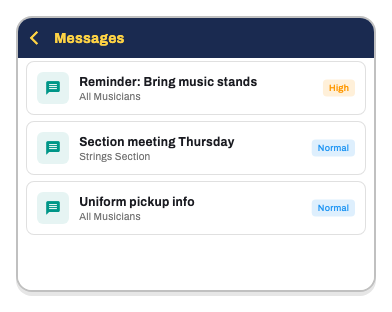
- Target specific sections or positions
- Priority levels — high-priority messages flagged visually
- Expiration dates — old messages auto-expire
- Push notifications for delivery
Event Questions ADD-ON
Collect information for any event:
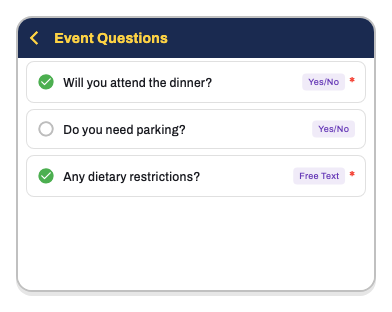
- Yes/No, Free Text, or Multiple Choice questions
- Required or optional
- View answers by question (with charts) or by musician
- Save templates for reuse
- Target to specific sections or whole orchestra
Examples: “Joining for dinner?”, “Need parking?”, “Can you bring a stand?”
Concert Programs
Build your performance order:
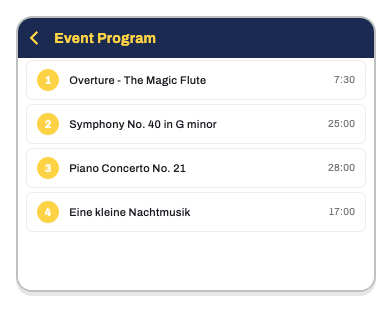
- Add pieces from repertoire with one tap
- Drag-and-drop ordering
- Notes per piece (“start from measure 42”, “soloist: Maria”)
- Auto-calculated total duration
Calendar Sync
Stay in sync:
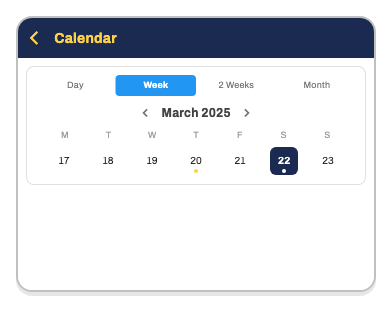
- Day, week, 2-week, or month views
- Export to iOS Calendar or Google Calendar
- Synced reminders
- Filter by event type
Smart Notifications
Never miss anything:
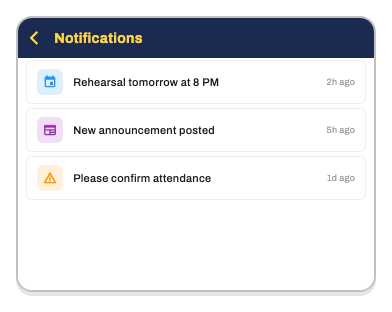
- Push notifications for events and announcements
- Escalating attendance reminders
- Customizable timing per event type
- Choose email, push, or both
Personal Settings
Make it yours:
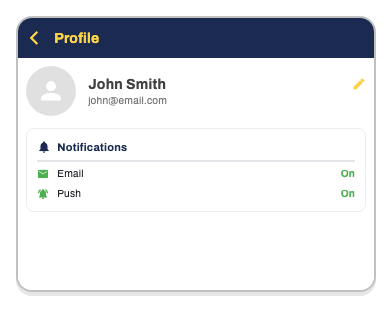
- Edit personal info and photo
- Manage multiple orchestras from one account
- Control notification preferences
- Switch language (EN, IT, ES, CA)
- Biometric login — Face ID / fingerprint
Director Dashboard
Your orchestra at a glance:
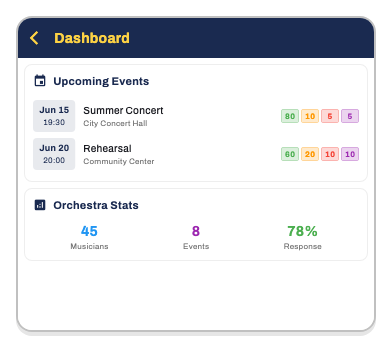
- Upcoming events with attendance by position
- Activity feed — real-time updates
- Participation trends chart
- Orchestra statistics — response rates, timing
- Lowest-coverage positions — spot gaps early
- Event questions overview
- Operations log — full audit trail
Multi-Orchestra Support
Flexible for any setup:
- Belong to multiple orchestras
- Join via activation code or QR
- Request orchestra setup for new organizations
- Orchestra profile — name, logo, description, social links
- Shareable invitation links
Roles & Permissions
Organized and secure:
- Manager — full access including authorization
- Director — management access for events, musicians, repertoire, communications
- Musician — view events, report availability, access music and news
- Granular permissions — Read/Create/Modify/Delete across 12 areas
Activity Log
Full transparency:
- Track all operations — creates, updates, deletes
- Unread indicators
- Paginated history
- Available to directors and managers
Ready to Try It?
Start free with up to 20 musicians, or upgrade to Professional for unlimited access. Set up your orchestra in minutes.